Client projects

Live Platform

Leisure Events

One platform for two event brands — from the guest's first click to the scan at the door.

The brief

Leisure Music Productions and Techno Kitchen run events in Vienna and at international showcases. The guest list lived in messages, spreadsheets and people's heads, the door in printed lists, invitations in individual e-mails. What was needed was not another website but a system: a public site that carries both brands, and behind it everything an event night actually needs.

Visit the site

Project

Client
Leisure GmbH, Vienna
Brands
Leisure Music Productions · Techno Kitchen
Role
Concept, design, engineering, infrastructure, operations
Scope
Public site, guest account, admin panel, home page management, campaign links and source reporting, door scanner, e-mail and newsletter system
Tech
Next.js 16, React 19, TypeScript, PostgreSQL 17, Docker, Caddy, Cloudflare, Hetzner
Quality
385 automated checks across 9 test suites passed · 0 accessibility violations (axe-core, WCAG 2.1 AA)
E-mail
mail-tester 9.6/10 · SPF, DKIM, DMARC all pass
Status
Live since September 2026 · continuously developed

What we built

The public site

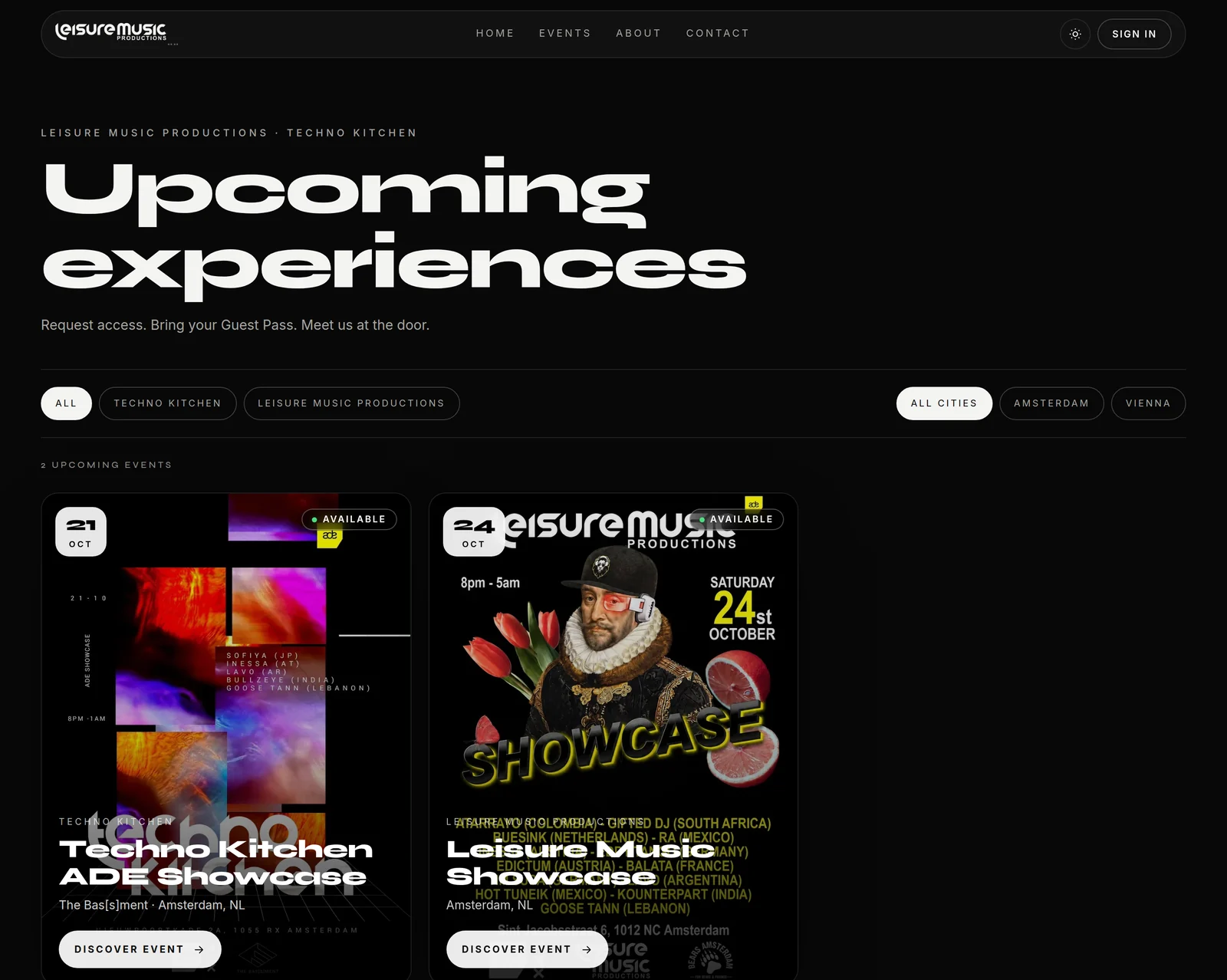
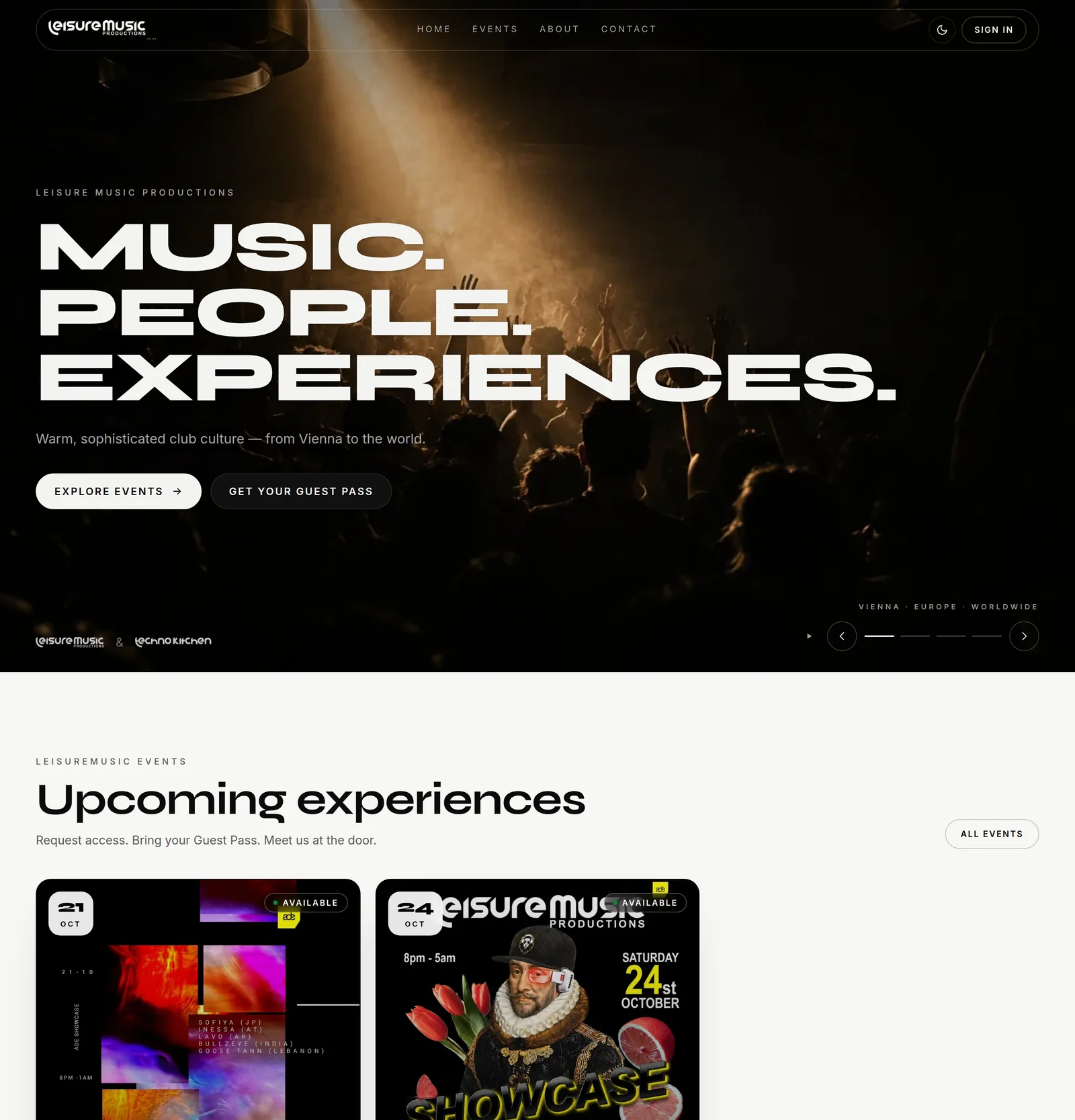
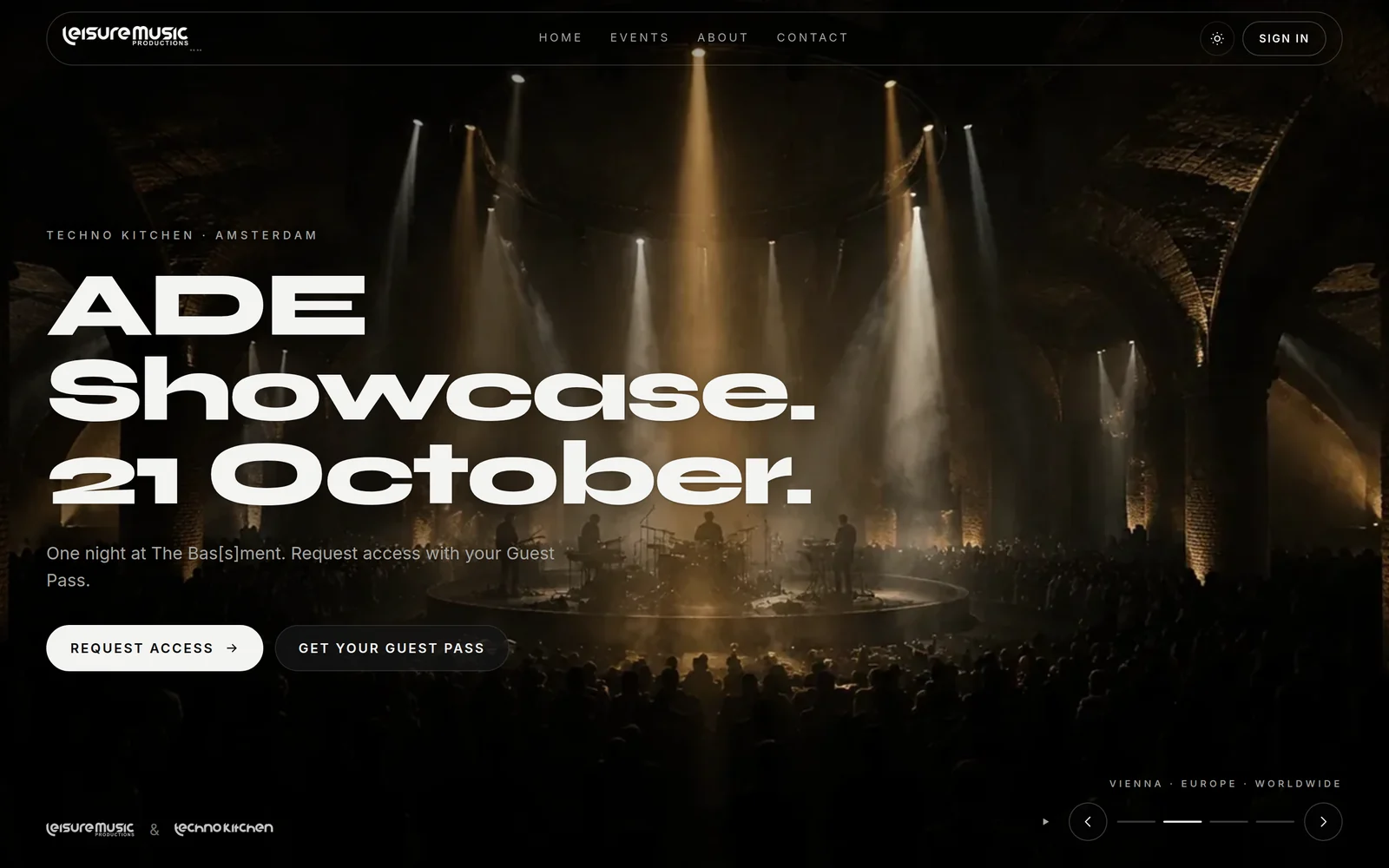
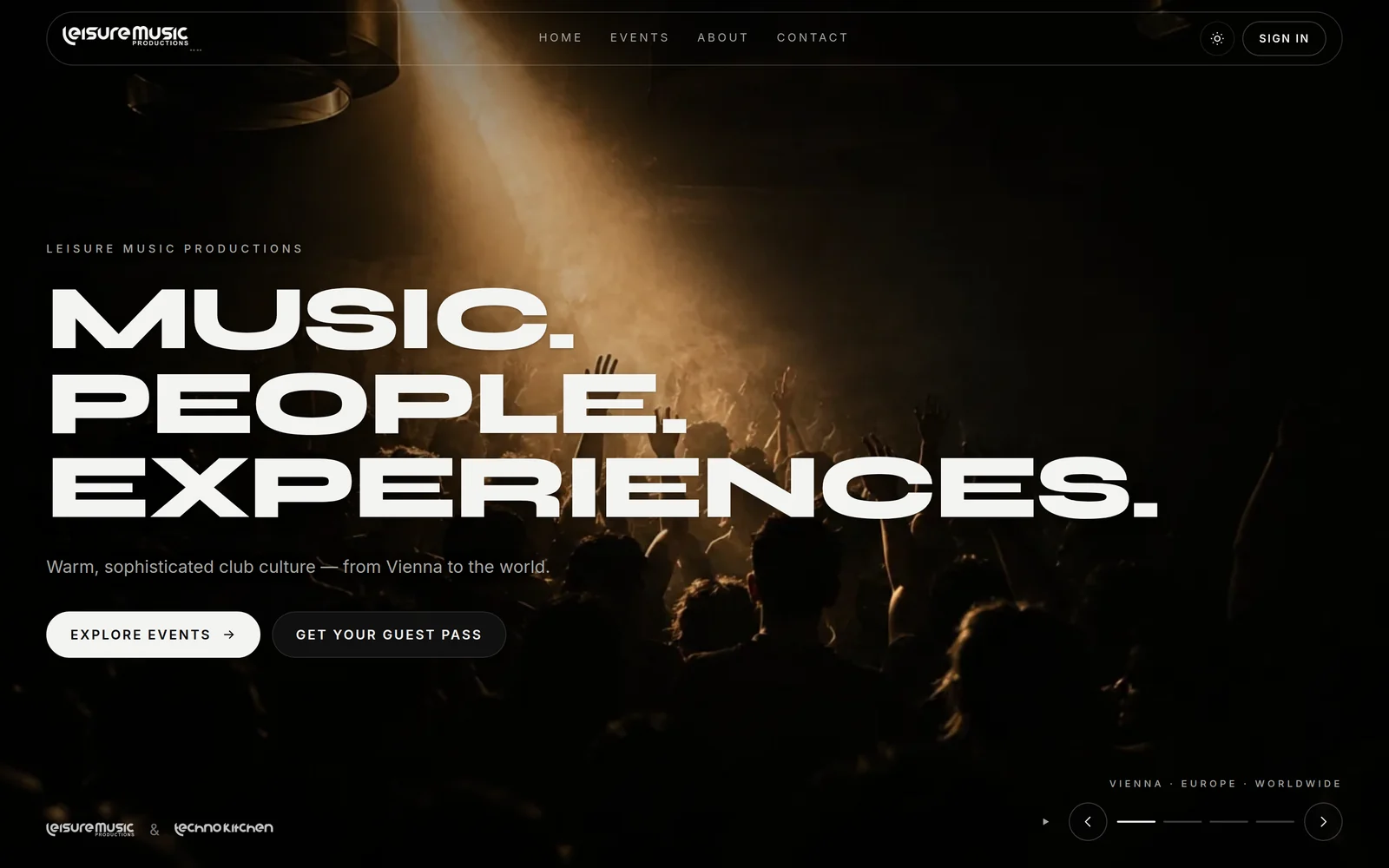
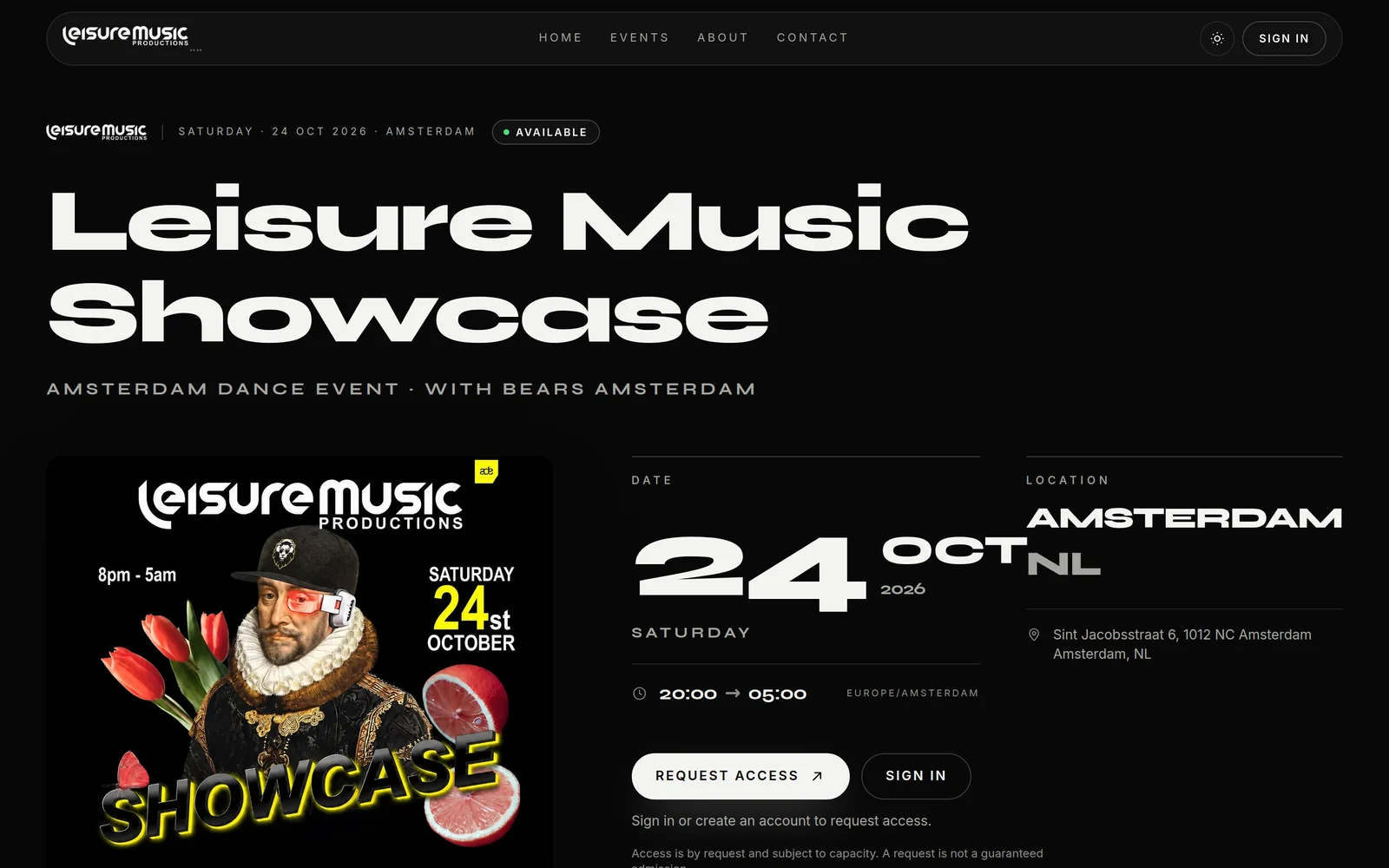
Home page, event overview with filters, and an event page with artwork, line-up, set times and venue. Two brands in one site, each with its own colour world. The navigation sits inside the photograph rather than above it — image, type and menu are one design. Dark and light, mobile first, with search-engine basics and social preview images.

Event page with artwork, date, location and the access call to action
Event overview, filtered by brand and city
The same home page in light mode

The home page belongs to the team

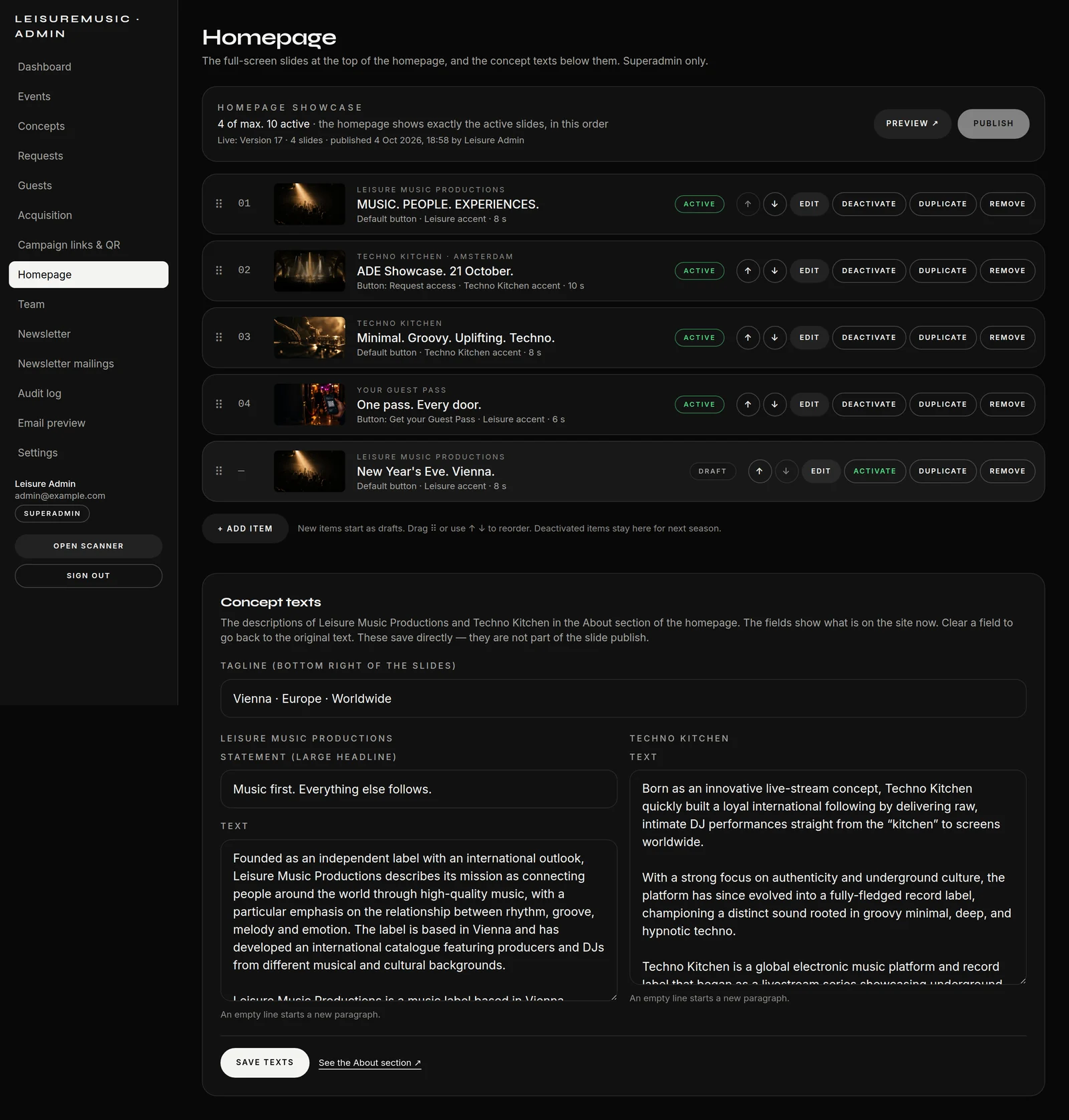
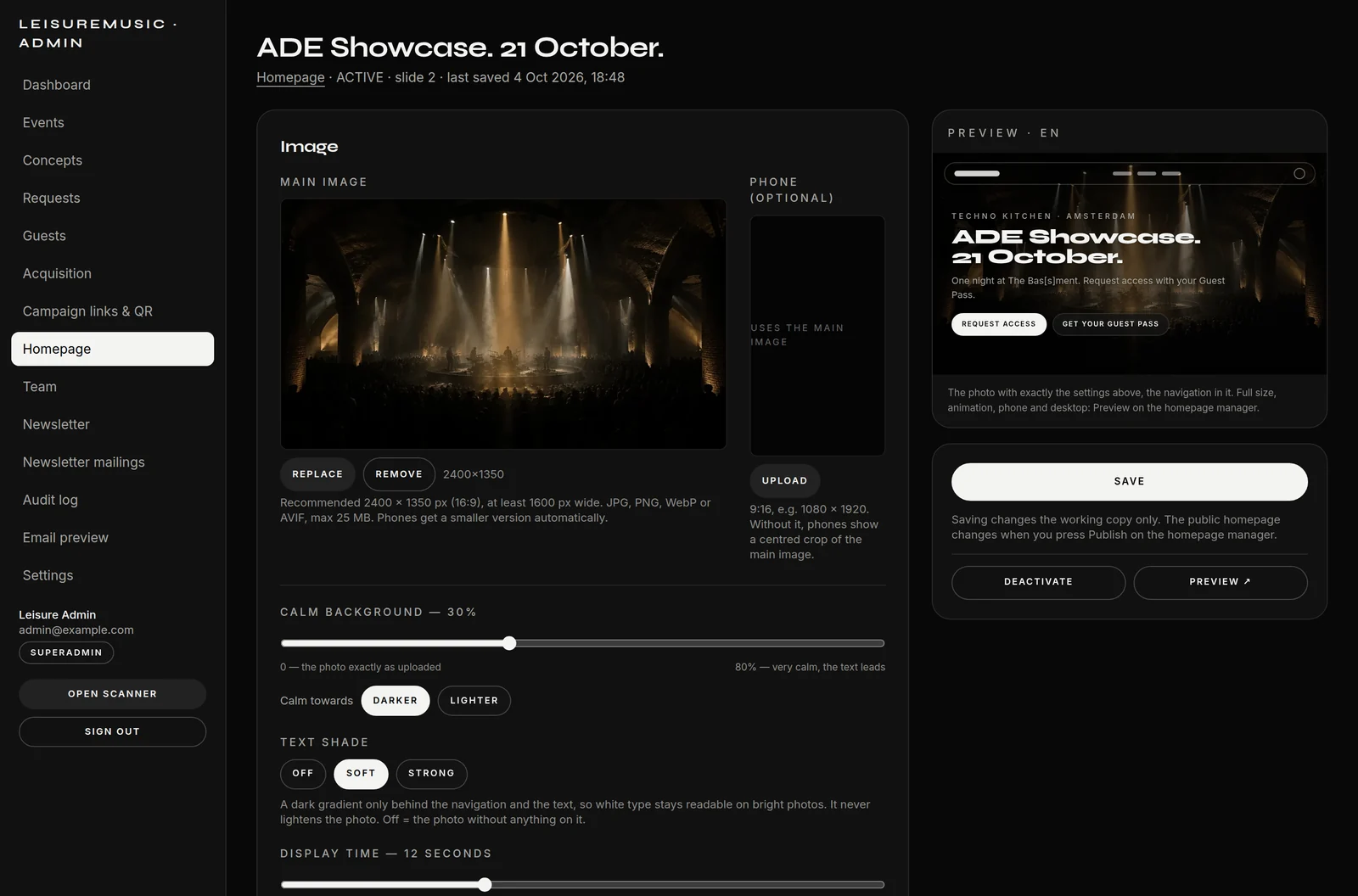
The team maintains the full-screen slides of the home page itself: upload a photo, set headline, text and button, drag to reorder. The photo stays exactly as uploaded — how much it is calmed, whether a text shade sits beneath the type and how many seconds a slide stays are set per slide by the superadmin, with an instant preview. Saving writes to a working copy; only what is published goes live, with a version and a name. The platform renders every image into the right sizes for phones and large screens on its own.

The home page slides: active, draft, order, publish
Per slide: calm, text shade, display time — with the preview beside it
The result on the home page: navigation and type sit inside the photograph
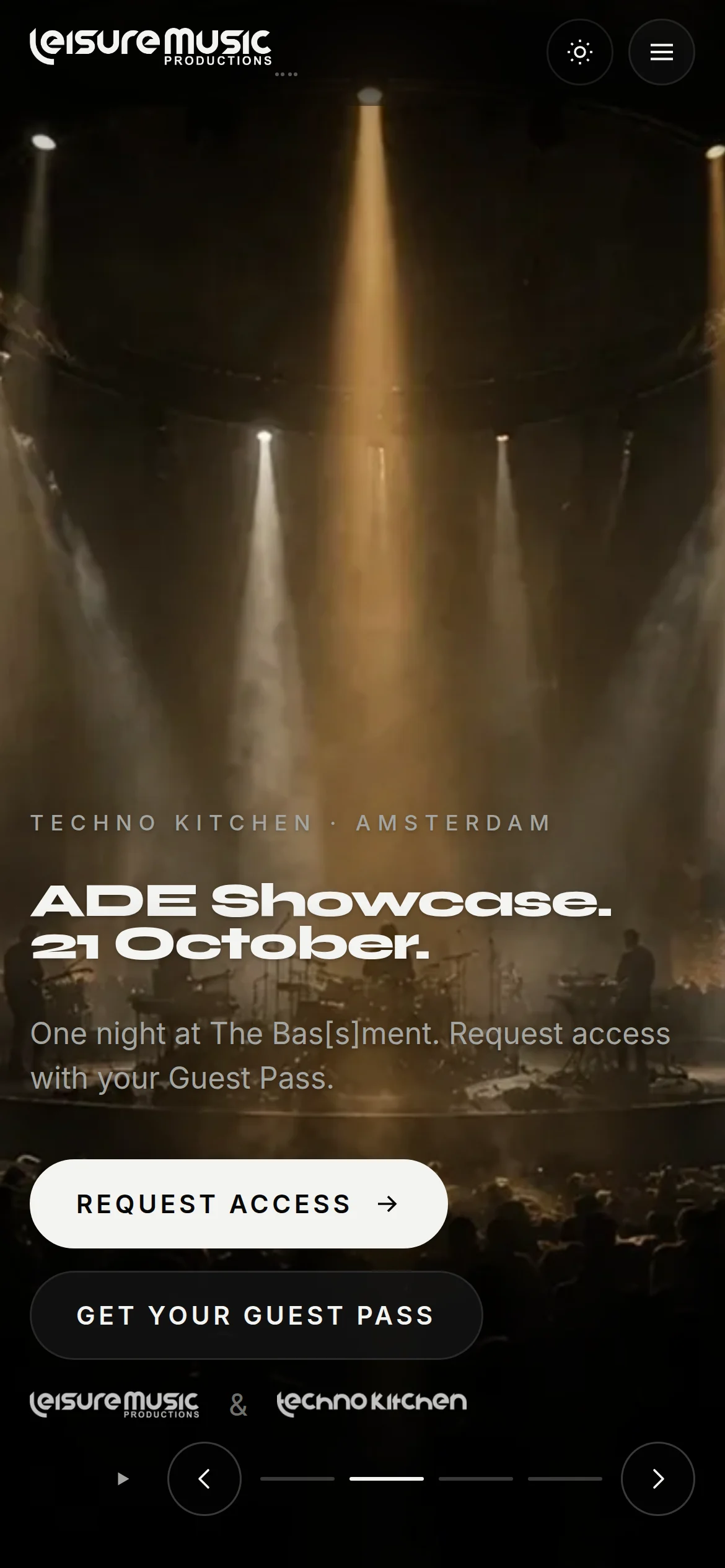
The same slide on a phone

A Guest Pass, not a guest list

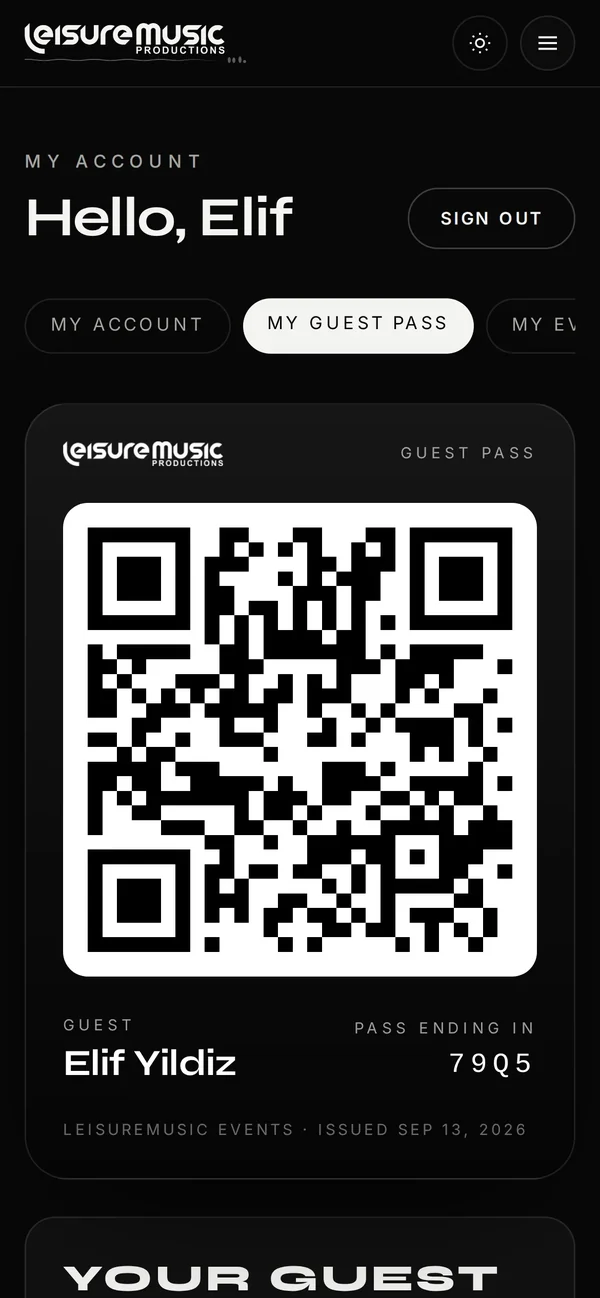
Guests create an account without a password — enter an e-mail, click a link. From then on they carry a personal QR Guest Pass: one for every event, not one per ticket. Access to a given night follows an approval — automatic, manual or a mix of both, with waiting list and registration deadline.

The Guest Pass on a phone
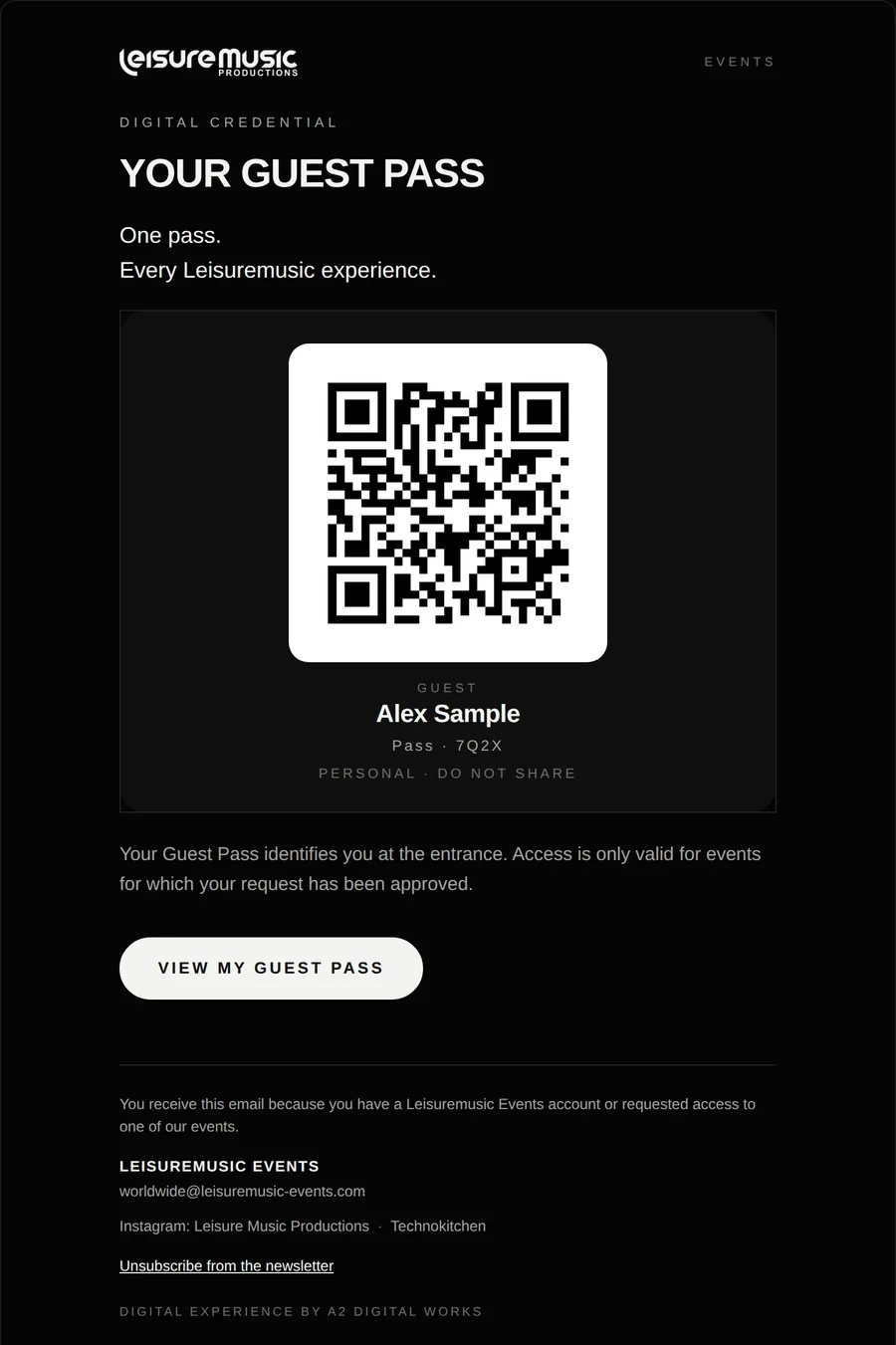
The same pass by e-mail, with its QR code

The Control Room

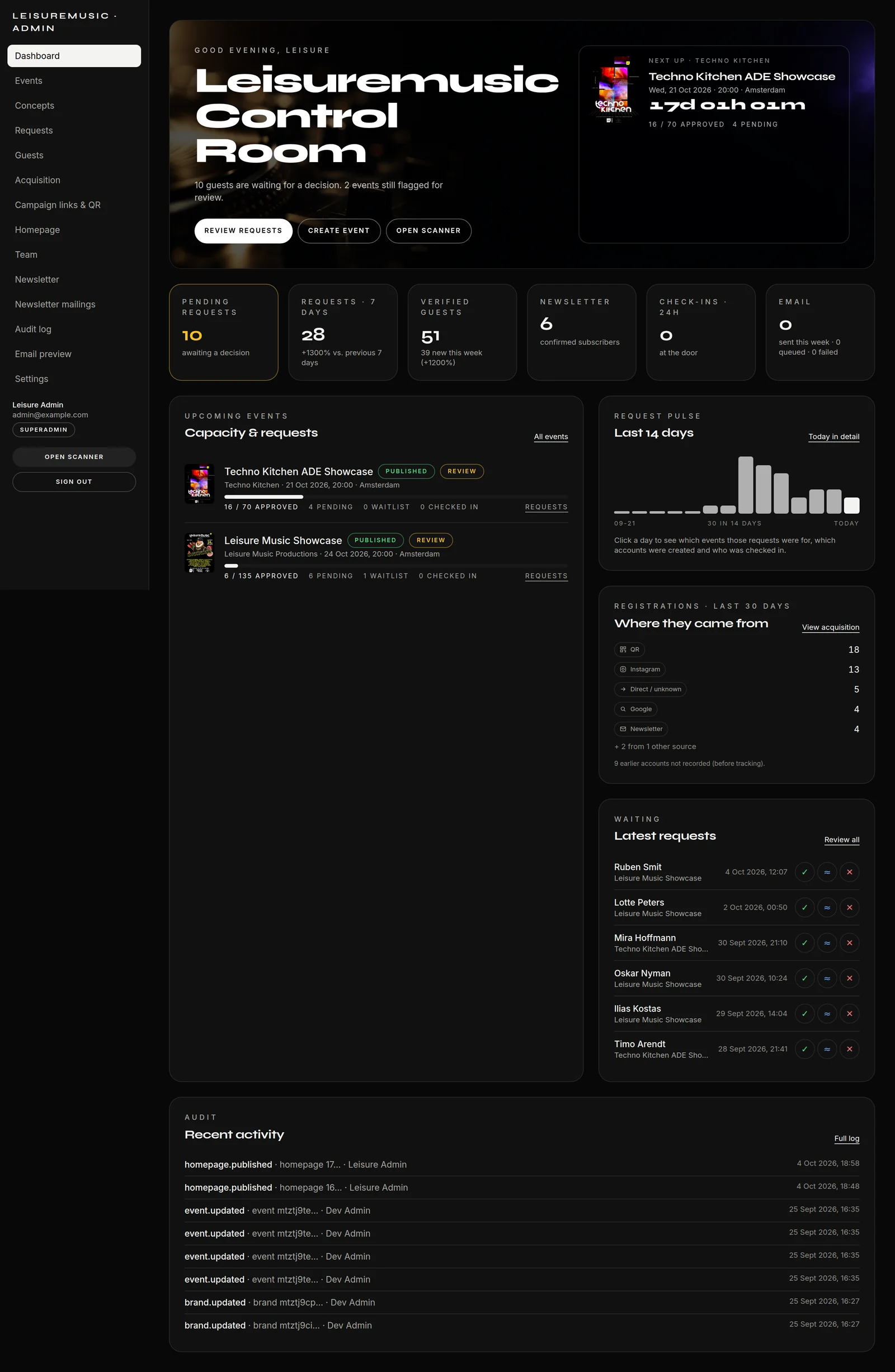
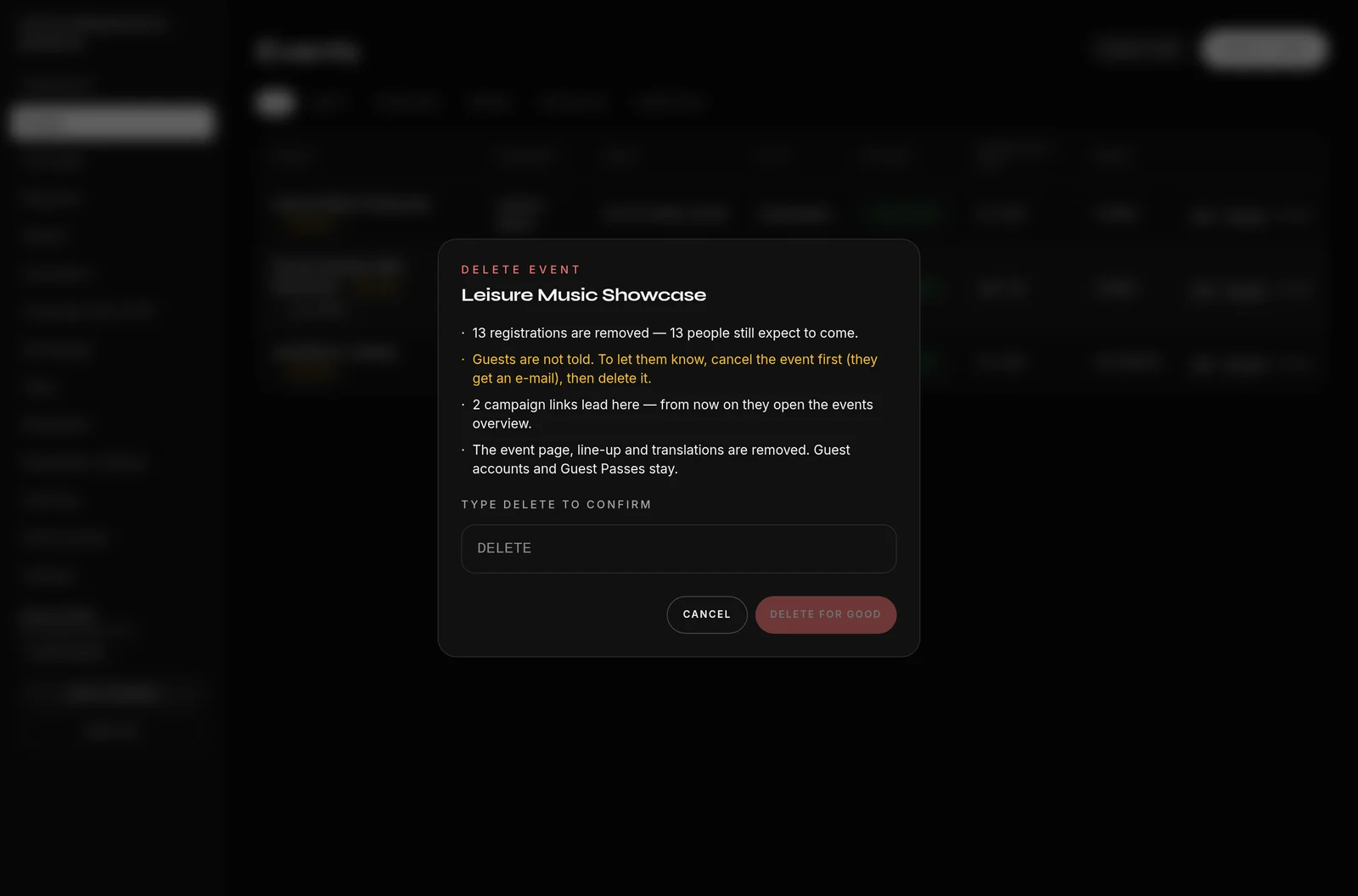
A purpose-built back office rather than a kit: the next event with a countdown, capacity, and open requests with one-tap decisions. The request pulse shows the last 14 days — click a day to see who signed up and what they requested. Events are built here in substance — media, line-up with set times and artist links, capacity, team, visibility and a printable event QR code. Whatever is deleted is deleted knowingly: a dialog first states, with real numbers, what goes and what stays. Four roles, and an audit log in which each role sees only its own rank and below.

Control Room: next event, KPIs, request pulse, sources, activity
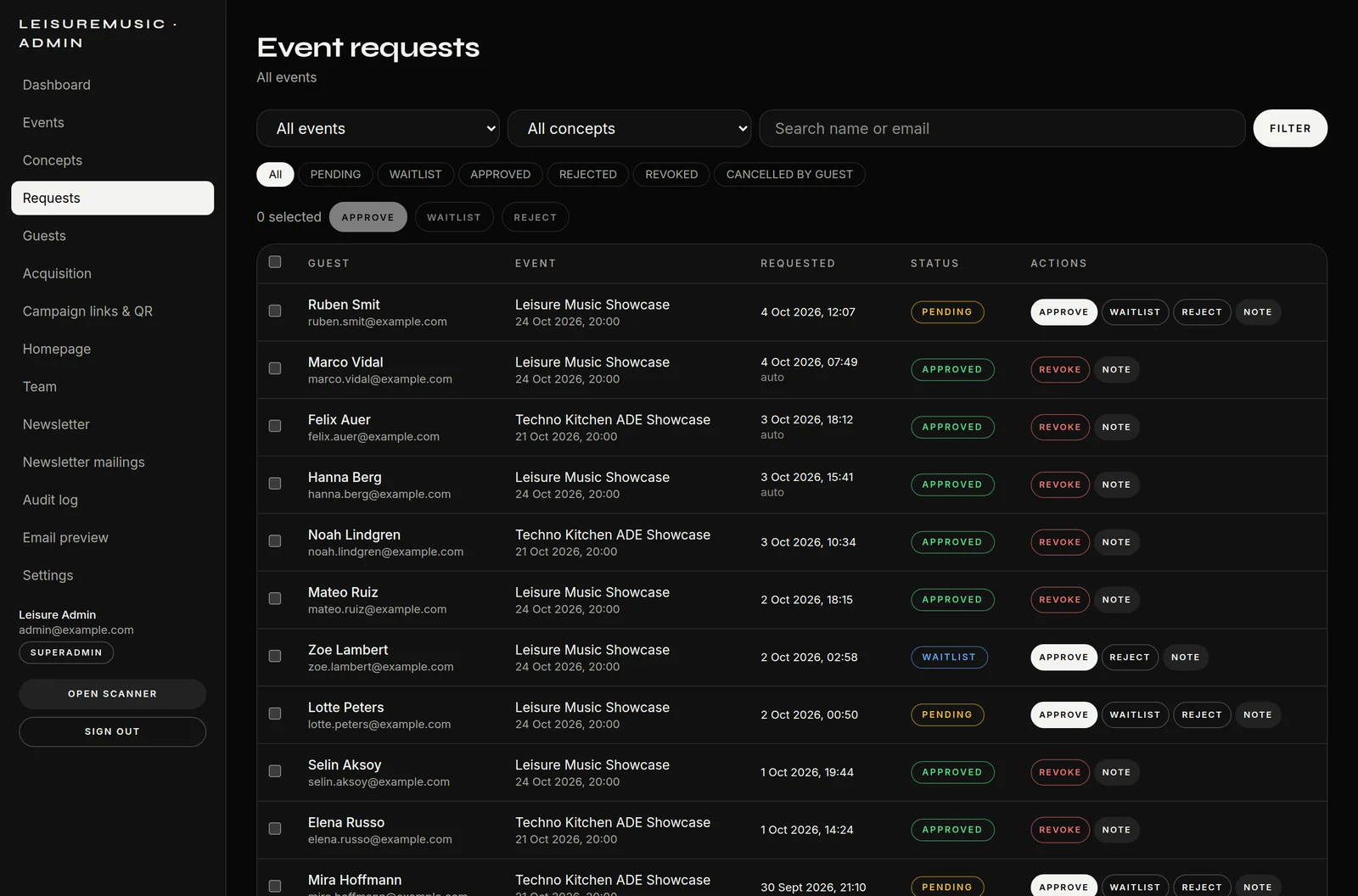
Access requests with bulk actions
Deleting with a preview of the consequences: read first, then type "DELETE"

From flyer to event

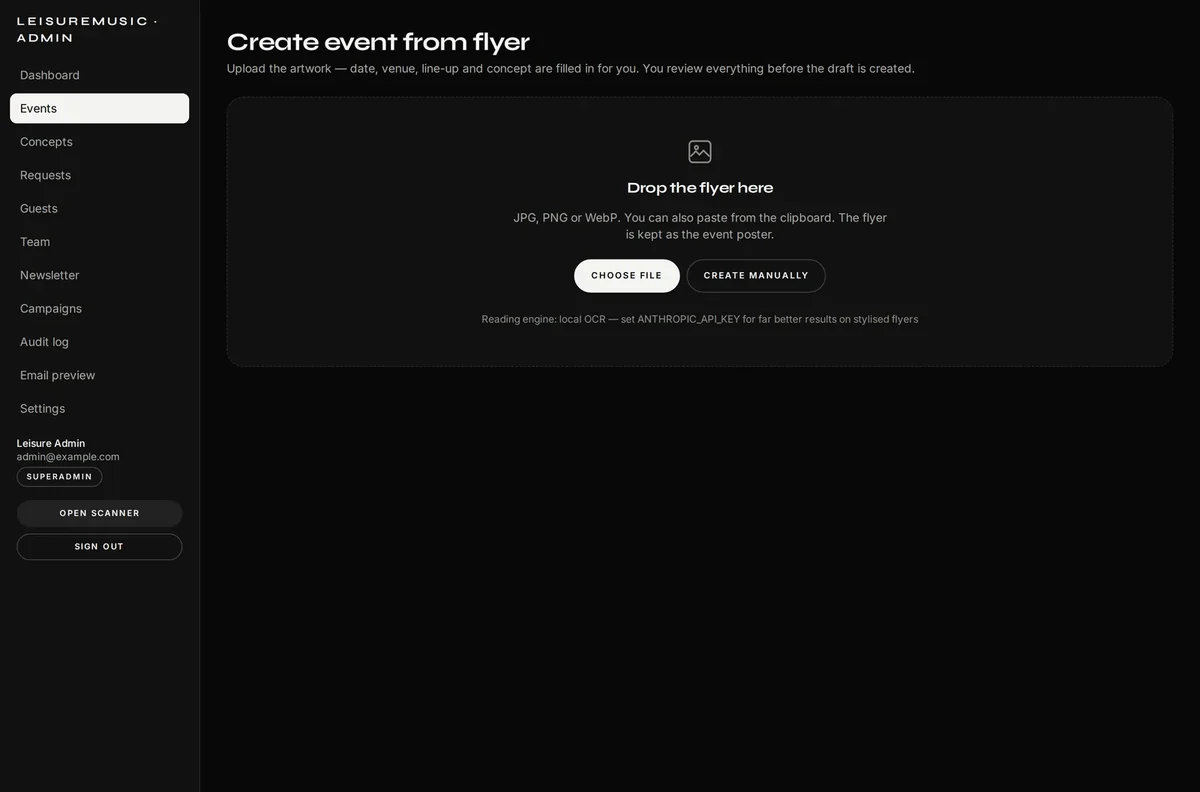
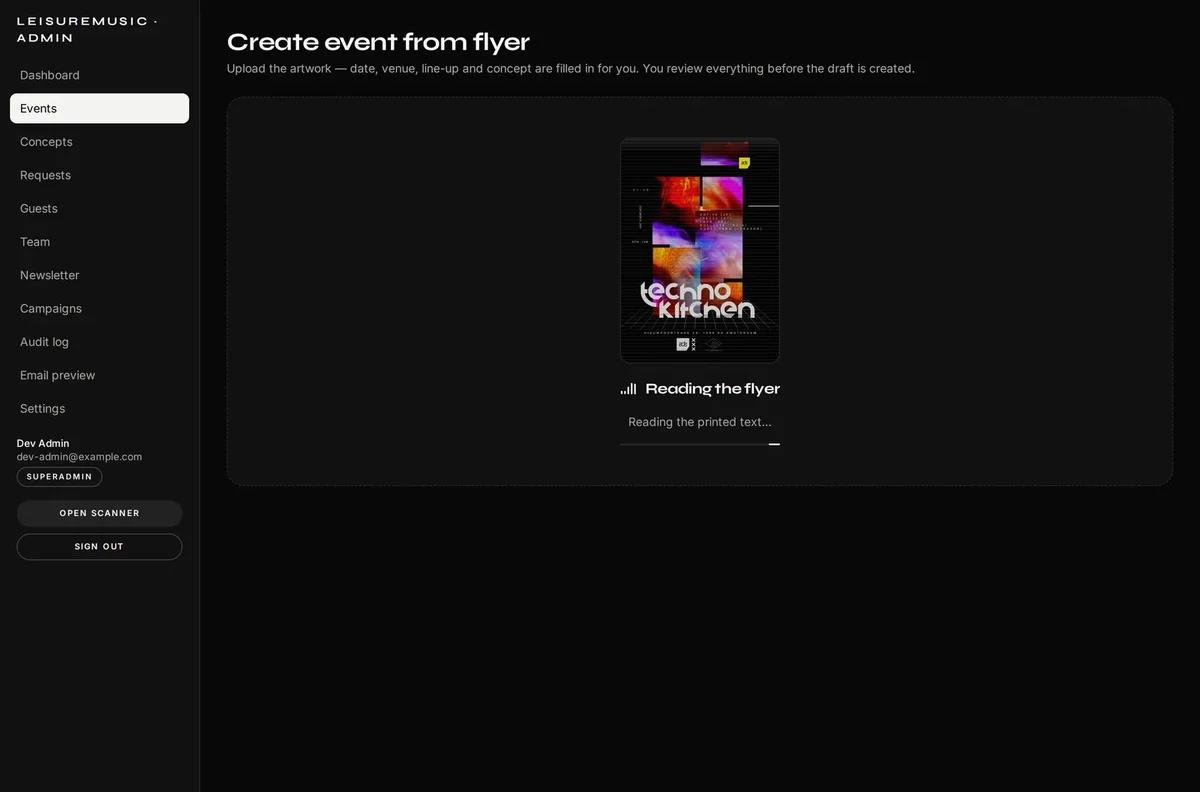
Drop the artwork into the window — the platform reads title, date, opening hours, venue, address and line-up from it and fills the event form in. A human checks it: the result is always a draft flagged for review, so a misread can never reach the public site. Twenty minutes of typing become two minutes of checking.

Drop the flyer here
Drop the flyer here
The platform reading the flyer

Knowing which flyer works

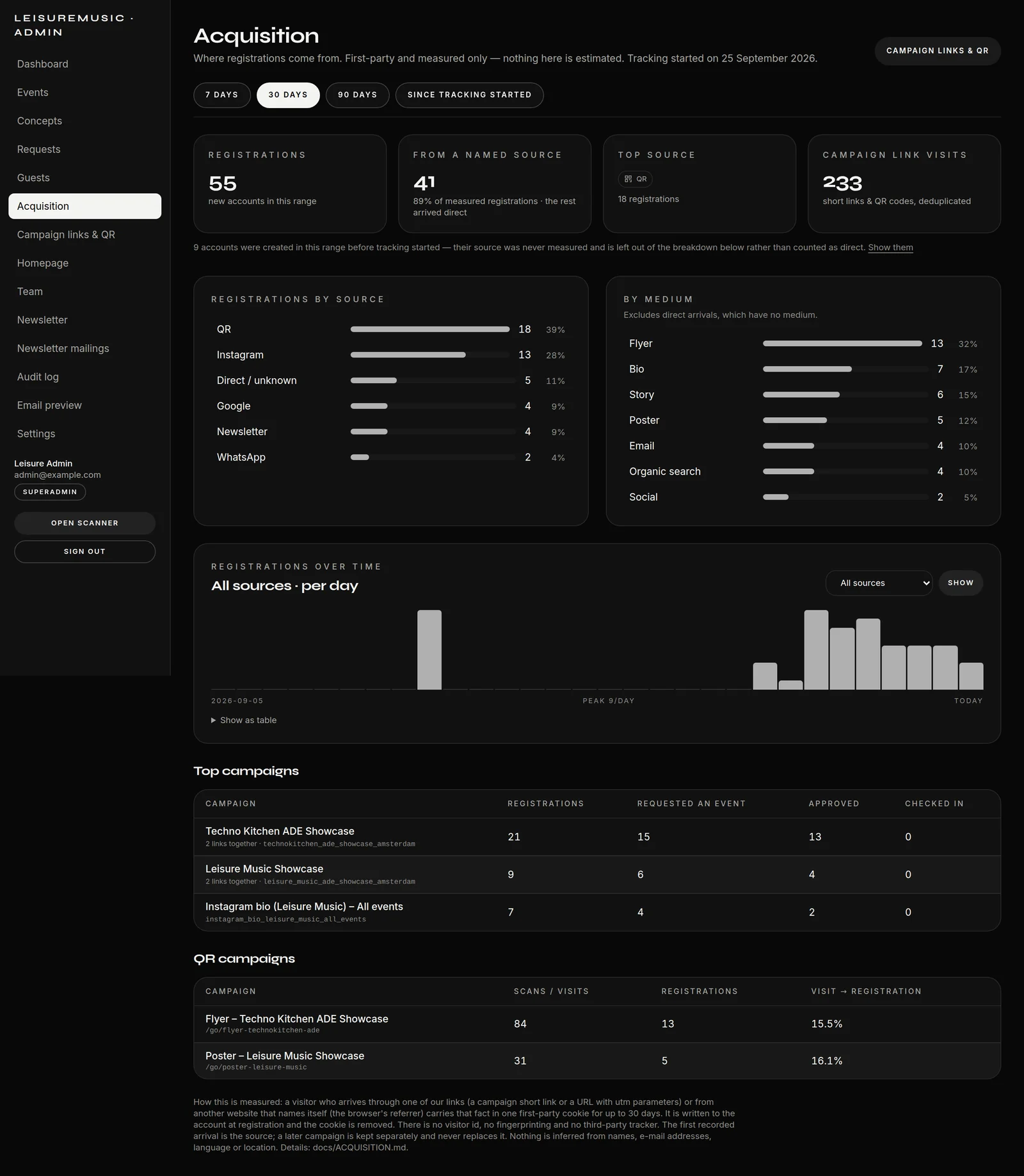
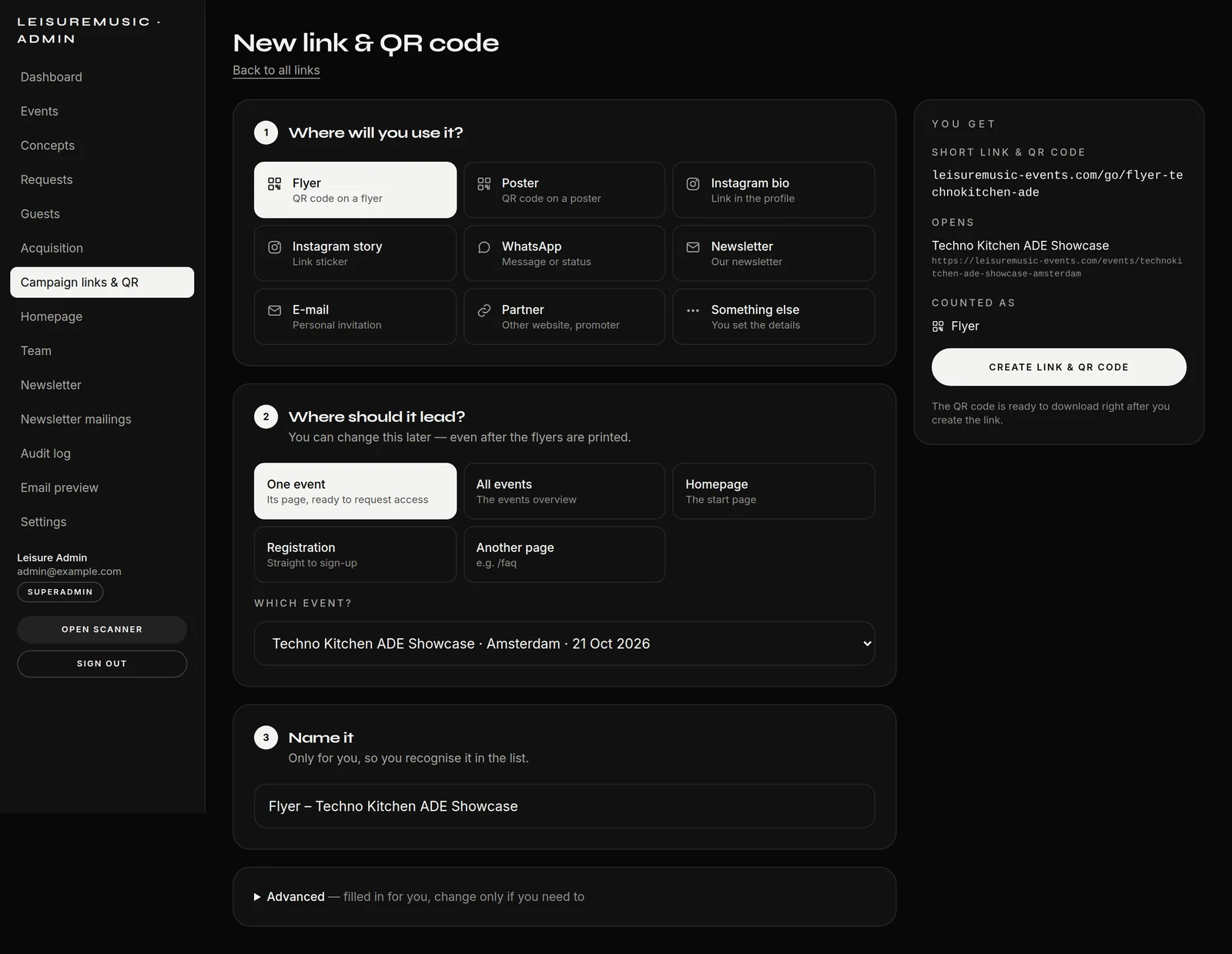
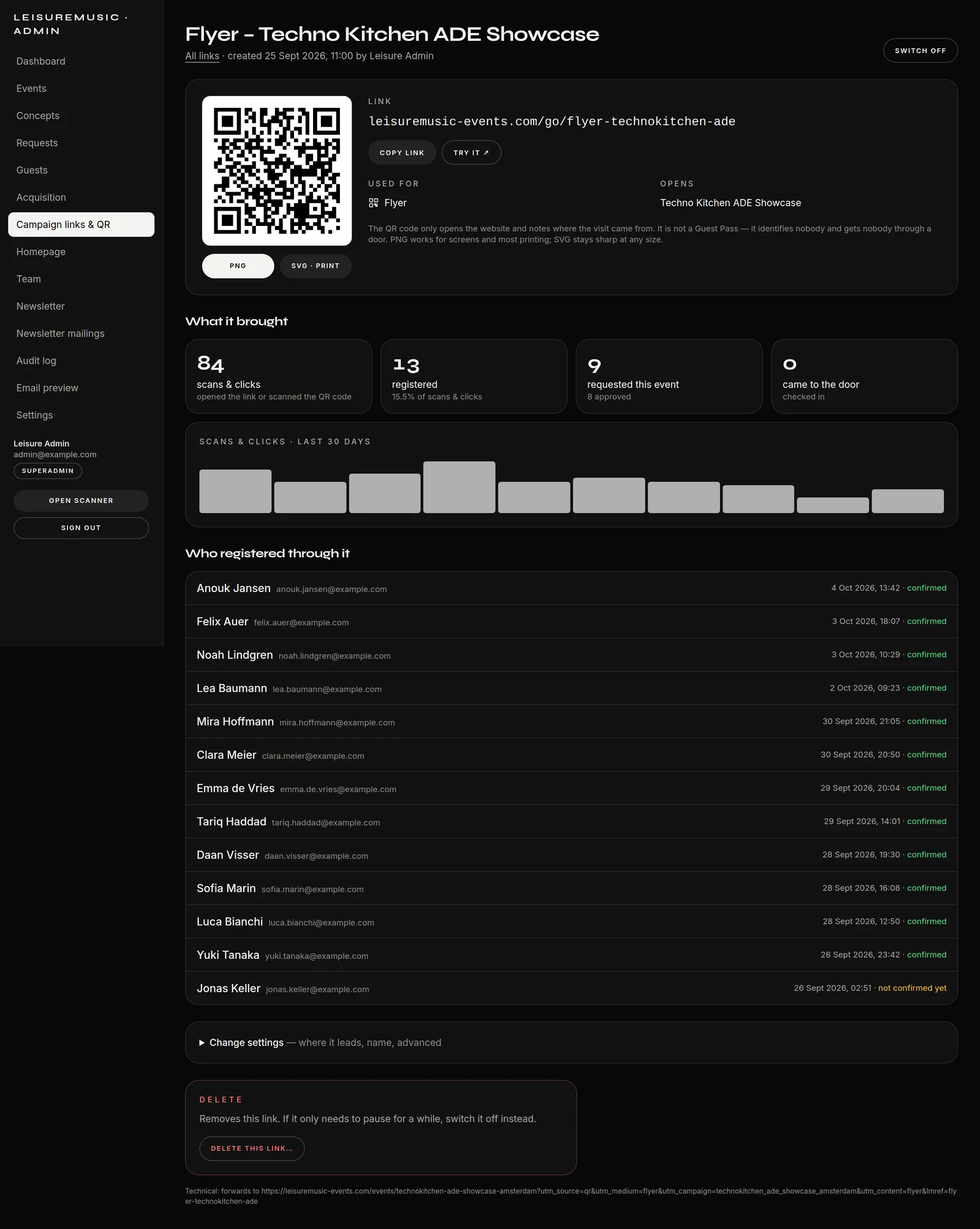
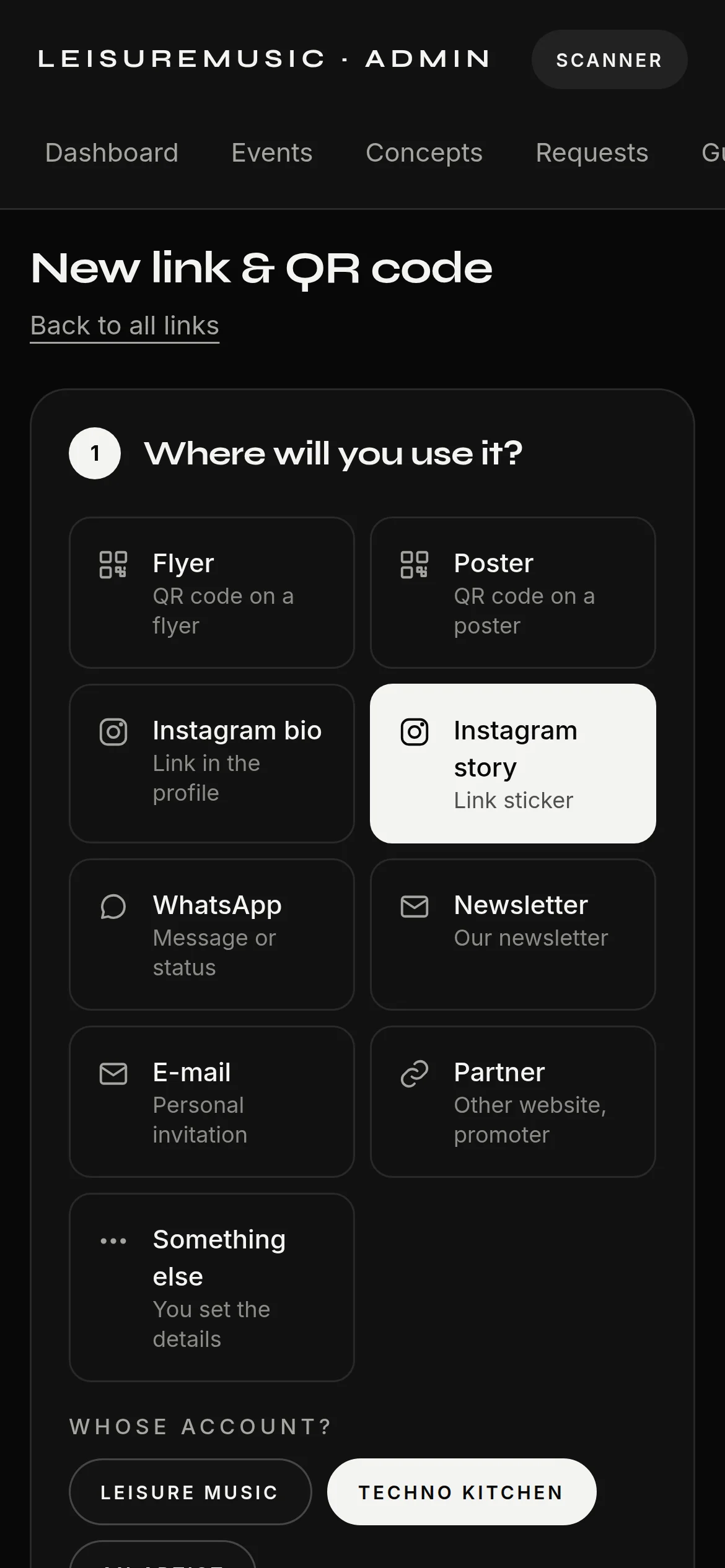
Every place the events are promoted gets its own short link with a QR code — flyer, poster, Instagram bio, story, newsletter. Created in three questions, the QR code is ready to print at once, and the destination can still be changed after the flyer has gone to print. The report shows the whole path: scanned, registered, event requested, approved, checked in at the door. The platform measures the source itself — no visitor ID, no fingerprinting, no advertising pixel, and nothing is estimated.

Where registrations come from, by source, medium and campaign
A new link in three questions: where, where to, what to call it
One flyer in detail: QR code, scans, registrations, check-ins
Created from a phone just as well

E-mail that arrives

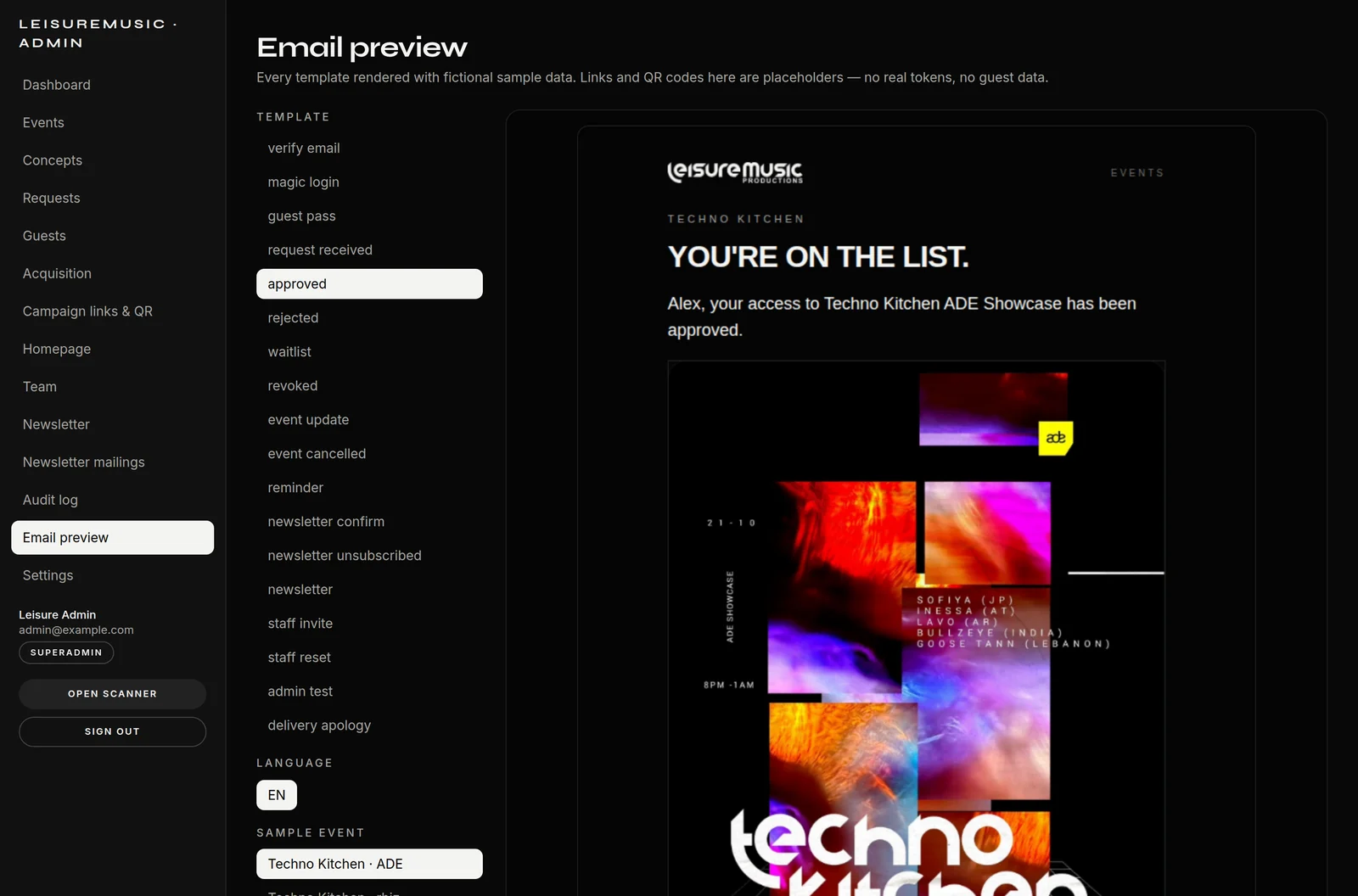
Eighteen designed templates — verification, Guest Pass, approval, rejection, waiting list, reminder, event update, team invitation. All in one e-mail design system, all with a plain-text version, all through a queue of their own and a verified sending path. SPF, DKIM and DMARC pass, mail-tester scores 9.6 out of 10. Inside the admin panel every template can be viewed with sample data and sent to yourself as a specimen.

Each of the 18 templates can be previewed with sample data

The newsletter — from the composer to the inbox

People sign up in the footer of every page, with double opt-in and a consent history that records who agreed and when. That is the page the GDPR wants to see.

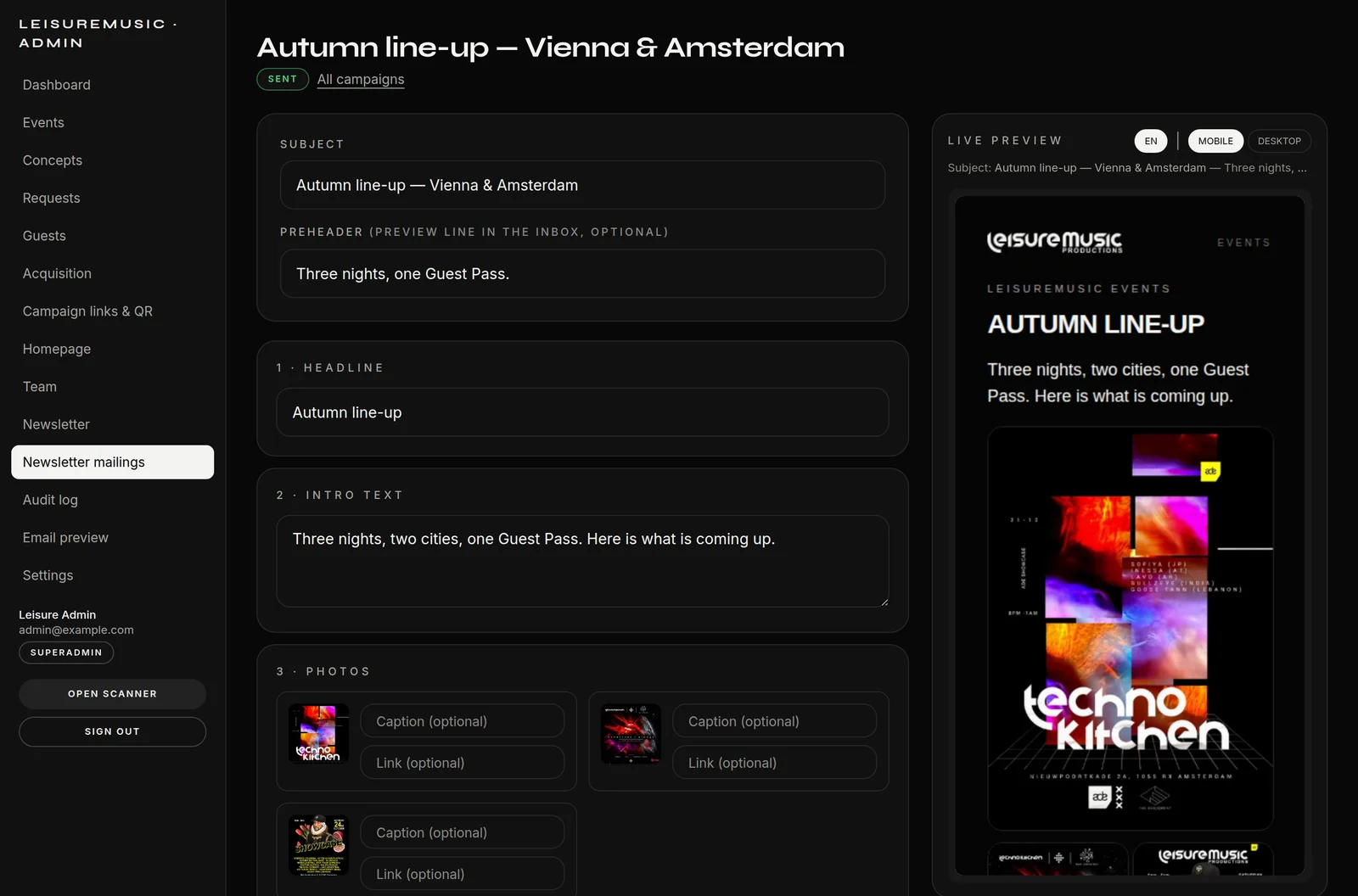
Writing happens in the composer: blocks for headline, text, image, event card and photo gallery, movable by drag and drop, with a live preview beside them — what stands on the left appears on the right exactly as the recipient will get it. Plus a test send to yourself, scheduling, and delivery through the background worker so a large list never blocks the server.

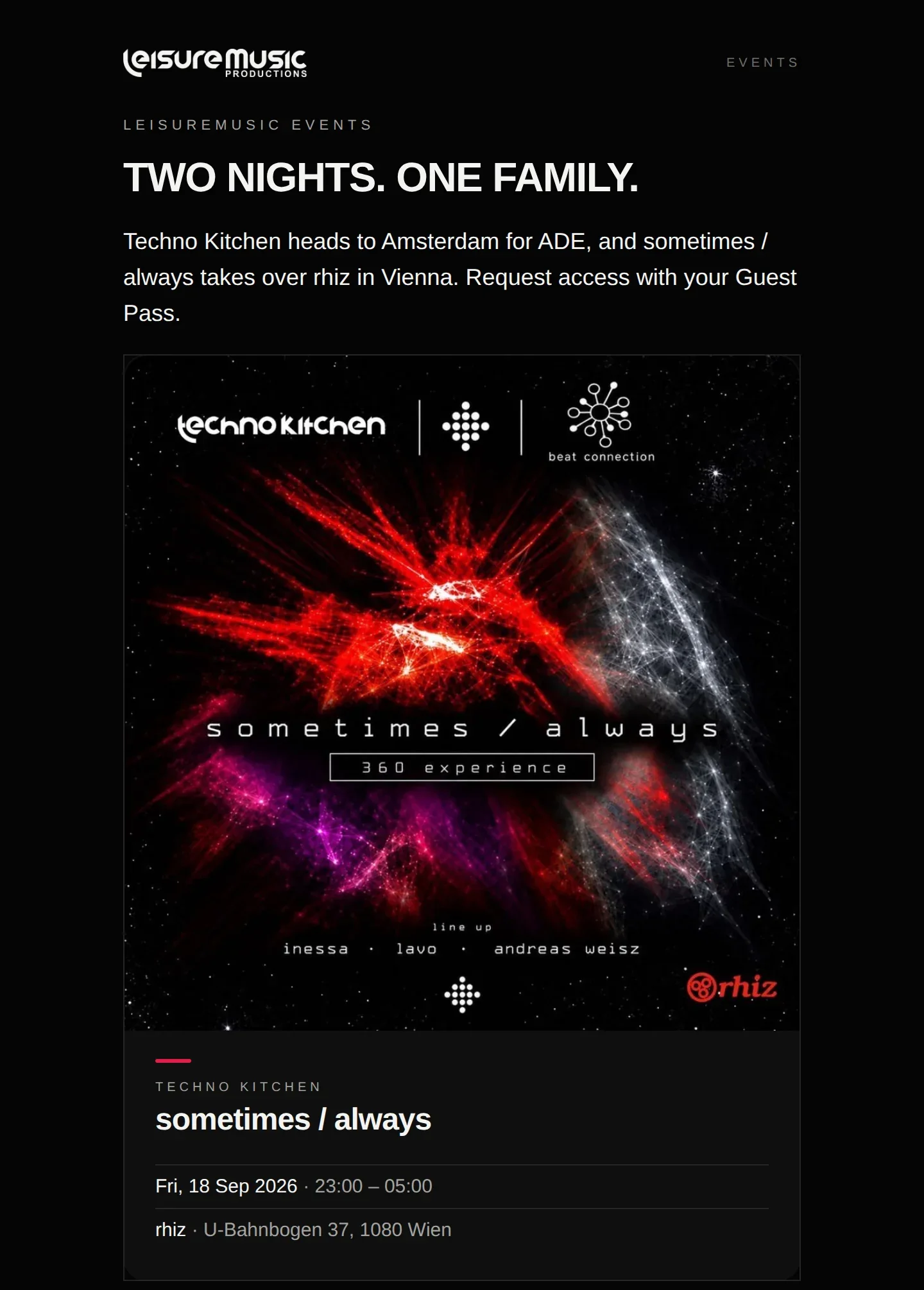
What comes out is not a stock newsletter but the same dark editorial language as the site — with event artwork, line-up and an unsubscribe link in every issue.
The composer: blocks on the left, live preview on the right
The result in the inbox — artwork, event card, one button
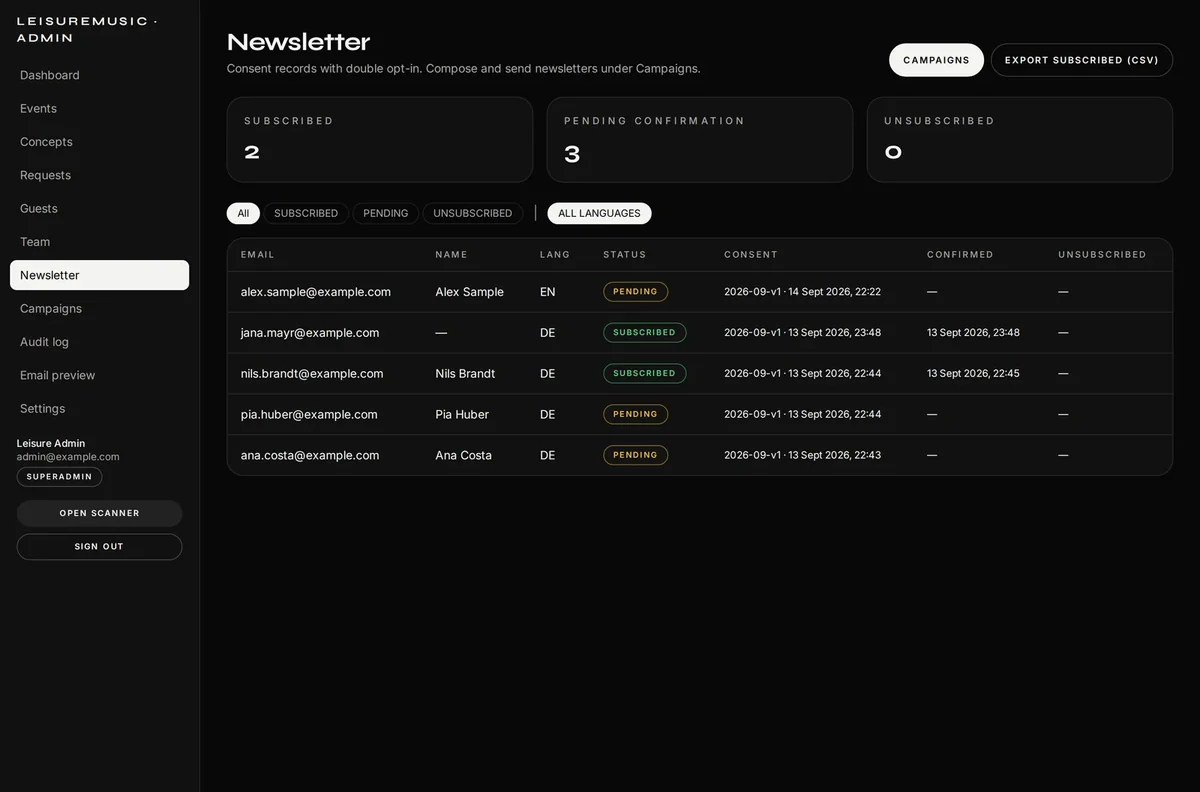
Subscribers with consent history and CSV export
The sign-up in the site footer, with double opt-in

The door and operations

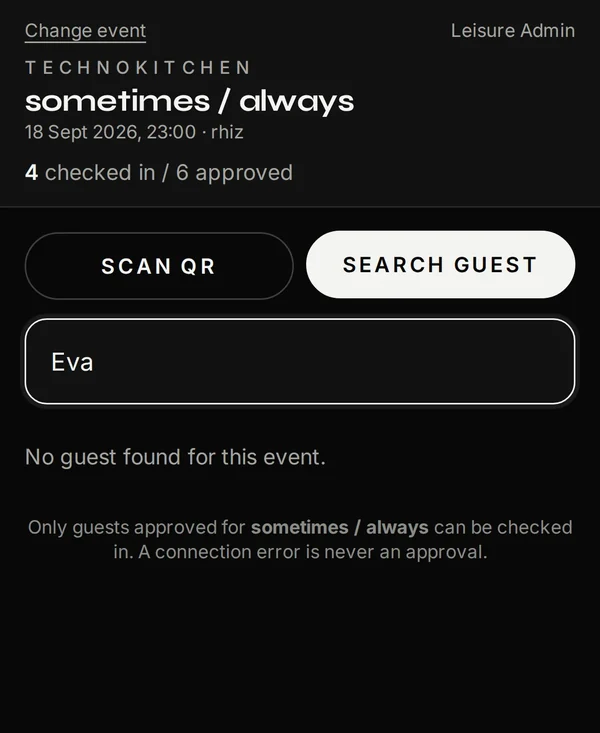
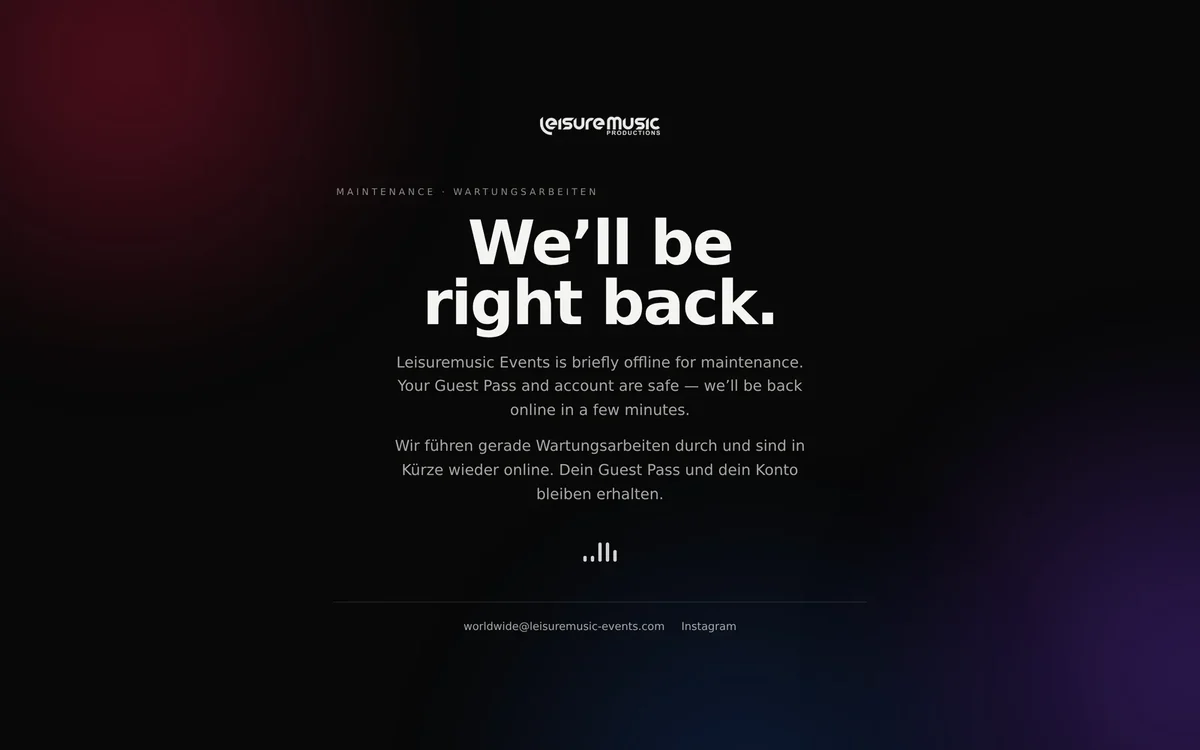
At the door staff scan on their own phones — double-scan-safe, with manual lookup as a fallback and unmistakable error states: already checked in, no access, revoked, check-in closed. A connection error is never an approval. And when the app steps aside for a deploy, the server shows a branded maintenance page instead of an error code. Before every release the database is backed up and the backup verified; if that fails, nothing is changed.

Manual lookup at the door: no match means no entry — never by accident
A maintenance page instead of a server error

In detail

  • Passwordless sign-in (magic link)
  • Personal QR Guest Pass, revocable and reissuable
  • Access requests: automatic, manual or hybrid
  • Waiting list, quotas, registration deadline
  • Line-up with set times and platform icons
  • The team can create its own event brands
  • Printable event QR code (PNG + SVG)
  • Flyer scan pre-fills the event form
  • Door scanner, double-scan-safe
  • Manual guest lookup and manager override
  • 18 e-mail templates, each with a plain-text version
  • Newsletter with double opt-in and consent history
  • Campaign composer with live preview
  • Roles: scanner, event manager, admin, superadmin
  • Audit log with rank-based visibility
  • Branded maintenance page during deploys
  • Nightly backups and a rehearsed restore
  • Delivery through GitHub Actions with a health gate
  • Home page slides in the admin panel: photo, text, button, order
  • Preview and versioned publish
  • Image treatment per slide: calm, text shade, display time
  • Campaign links with QR code (PNG + SVG)
  • First-party source reporting, no visitor ID
  • Guest list filterable by source, campaign, event and date range
  • Request pulse: 14 days with a day view
  • Deleting with a preview of the consequences and typed confirmation
  • Verified backup before every release

Result

Request, approval, pass and entry now hang on a single record. The night no longer starts with a printed list but with a scan. And everything the team needs to run it — create events, approve guests, send the newsletter, open a new event brand — happens in their own admin panel, without a developer. The team now also designs the home page itself and sees which flyer and which link the sign-ups come through.

Screenshots from a demo database. All names, e-mail addresses and figures shown are fictional.

Ready to build what’s next?

Tell us about your idea. We answer within one business day. We work remotely — with clients anywhere.

Did you know digital projects are subsidised across Austria — in Vienna with 25–50 %? We check it for you →